Export Instagram Posts, One Click
Super easy to use, one click to export Instagram post list by Instagram Username / hashtag / location, with Excel & CSV & JSON file format, Run on your local computer, Keep Privacy & Secure.
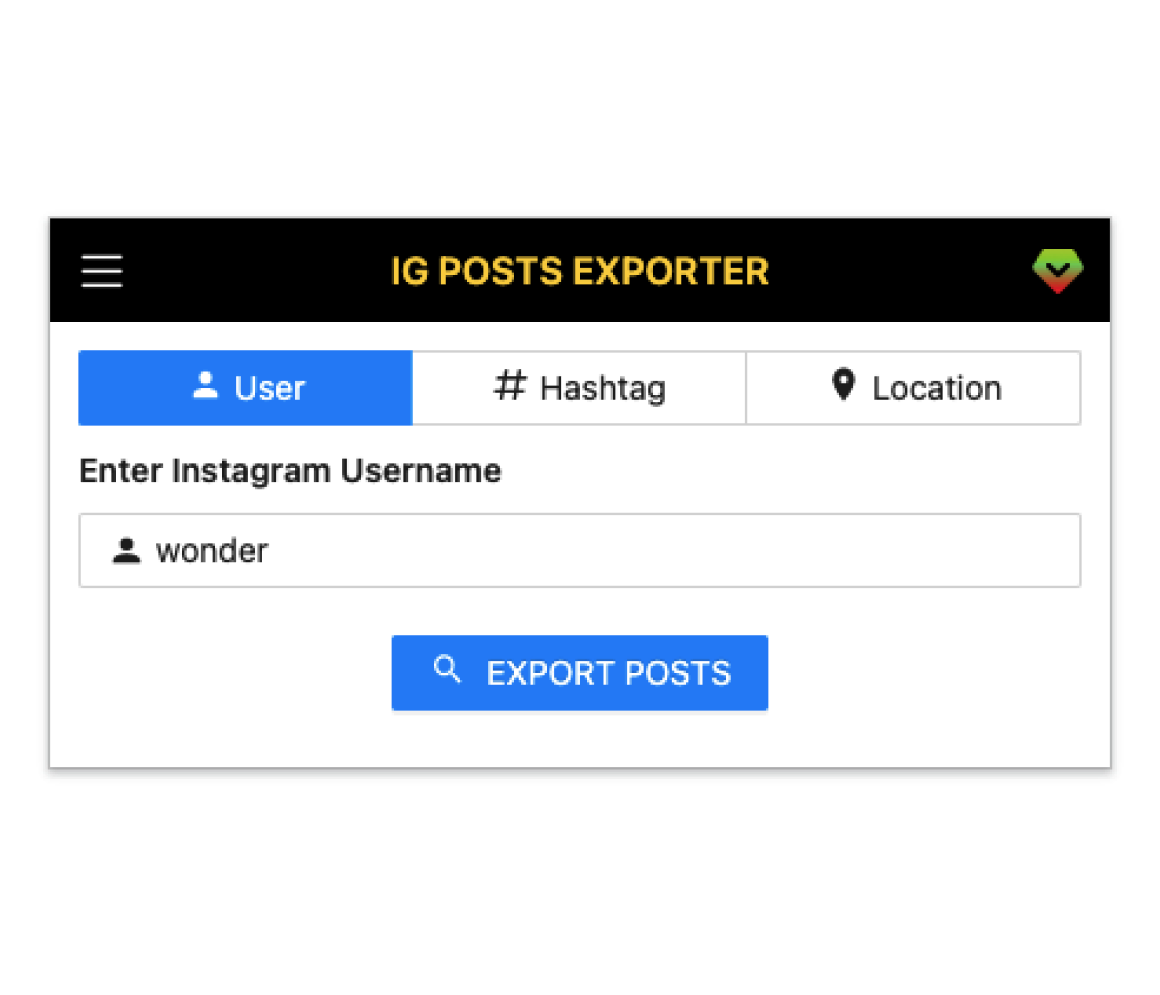
A chrome extension made for people who want to export posts from Instagram into Excel.
IG Posts Exporter Features
Everything you need to export Instagram posts quickly and safely.
One‑click export
Export post lists by user, hashtag, or location in seconds.
Flexible filters
Filter by time range, likes, comments, and keywords for cleaner datasets.
Multiple formats
Download CSV, Excel, or JSON to fit your tooling and workflows.
Resume & throttling
Auto handling for limits and retries to keep long exports stable.
Local & secure
Everything runs in your browser. No servers, no data sharing.
Ongoing updates
Regular improvements and quick support when you need help.
Auto pagination
Automatically scrolls and loads more posts to capture complete lists.
Rich fields
Export captions, permalinks, timestamps, media types, counts, and more.
Bulk downloads
Handle large collections without freezing thanks to optimized processing.
Power shortcuts
Keyboard actions for faster start, pause, and resume.
How IG Posts Exporter works
Export Instagram posts in four simple steps.
- 1
Install the extension
Add to Chrome and pin it to your toolbar.
- 2
Open a target page
Visit any Instagram user, hashtag, or location page.
- 3
Click Export
Start collecting posts and apply optional filters.
- 4
Download your file
Get CSV/Excel/JSON and analyze in your favorite tools.
Benefits of IG Posts Exporter
Why teams choose IG Posts Exporter.
Save hours each week
Replace manual copy-paste with one-click exports.
Better decisions
Clean, structured datasets make reporting and analysis straightforward.
Privacy by default
Runs entirely in your browser—no servers, no logins, no data sharing.
Scales with you
Handle large lists reliably with built-in throttling and retries.
Client-ready output
Export formats that drop directly into spreadsheets and BI tools.
Support that cares
Fast help when you need it, from real people.
Use cases for IG Posts Exporter
Practical ways people use this tool.
Social media marketers
Monitor competitors, collect content ideas, and analyze engagement at scale.
Creator/influencer managers
Filter creators by niche and location; export histories to vet performance.
Agencies & freelancers
Deliver client-ready reports and campaign recaps with clean, traceable data.
Researchers & analysts
Assemble datasets for sentiment, trend, or hashtag studies quickly.
E-commerce teams
Track UGC around your brand and measure content impact by topic.
Educators & students
Gather examples and references for coursework, with exportable citations.
Pricing & Plans
Select the right plan for you business. Upgrade or downgrade at any time.
Basic
Free
per user / month
- 100 Posts Export a time
- One Click Export by Instagram Username / hashtag / location
- Export data to Excel/CSV/JSON
- Continued free updates
- Basic Support
7 Days Moneyback Guarantee
Professional
$9.99
per user / month
- Unlimited Posts Export a time
- Automatic Download
- One Click Export by Instagram Username / hashtag / location
- Export data to Excel/CSV/JSON
- Continued free updates
- Premium Support
7 Days Moneyback Guarantee
Get 2 months free when you choose yearly plan!
5,097 people have said how good Rareblocks
Our happy clients say about us
“I love IG Posts Exporter! It saves me so much time when it comes to compiling data on Instagram posts. Plus, the fact that it runs on my local computer keeps my information secure.”

Michael
Social Media Marketer
“This extension is a must-have for any Instagram user. I love how easy it is to export posts by location and hashtag, it helps me create better content for my audience.”

David
Content creator
“This extension is a must-have tool for anyone in digital marketing. It's so easy to use and it exports the data in a format that is easy to analyze.”

Jenny
Freelance Marketer
Frequently Asked Questions
Where you can get questions to common questions about IG Posts Exporter
How to get started?
After installing this extension, there will be a one-click export button at the bottom of each post on the instagram page, click this button to start the download.
Why does the export function stop?
Because of frequent network requests, Instagram should blocks access to the current IP address. You can pause, wait for 10 minutes, and then continue.
How to restore my subscription?
Find your subscription order id in your payment email inbox. Go to Pro page, click the "Change token" button, enter your email and order id then submit.
What is the 403, 429, 400 error means?
The 403, 429, and 400 error message is returned by Instagram.com. They are usually caused by fetching too much and too fast data. When these errors occur, please check your Instagram account is well, and wait for 10-30 minutes.
IG Posts Exporter has Instagram error handling out-of-box, you could set it on the settings page.
Can IG Posts Exporter export more than 1M rows?
Pro user export Posts are unlimited, but in the web browser environment, If you download more than 1M rows of data, your web browser may crash.
How to cancel my subscription?
You can cancel your premium subscription at any time, by clicking the PRO button, and finally clicking the CANCEL SUBSCRIPTION button.
Didn’t find the answer you are looking for? Contact our support
100% money back guarantee.
We know you're gonna love our professional services, but let us prove it. If our service hasn't exceeded your expectations after 7 days, you'll get a full refund. Simple as that.
GET STARTED NOW IG Posts Exporter
A chrome extension made for people who want to export posts from Instagram into Excel.
Products
Need Help?
Send us an email at help@extensionsfox.com if you have any questions. We'll help you out.
© Copyright 2025, All Rights Reserved by ExtensionsFox.com